Support
How to Install Serum 2 Presets
Follow the guide below for your operating system. Each preset pack comes as a .zip file containing Serum preset files that drop straight into Serum 2's preset browser.
Questions? Reach out at short.fan4825@fastmail.com
macOS / Windows
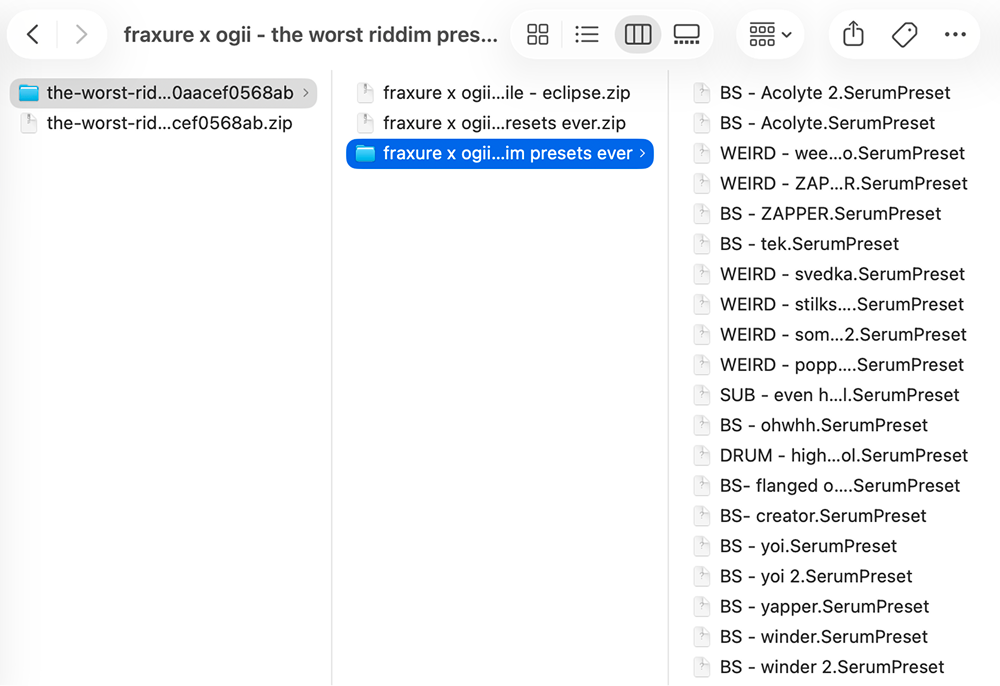
Download & unzip your pack
After purchasing, you'll receive a download link via email. Click it to download the .zip file, then double-click the zip to extract it. You should now have a folder containing your Serum preset files.
Open Serum 2 and show the Presets folder
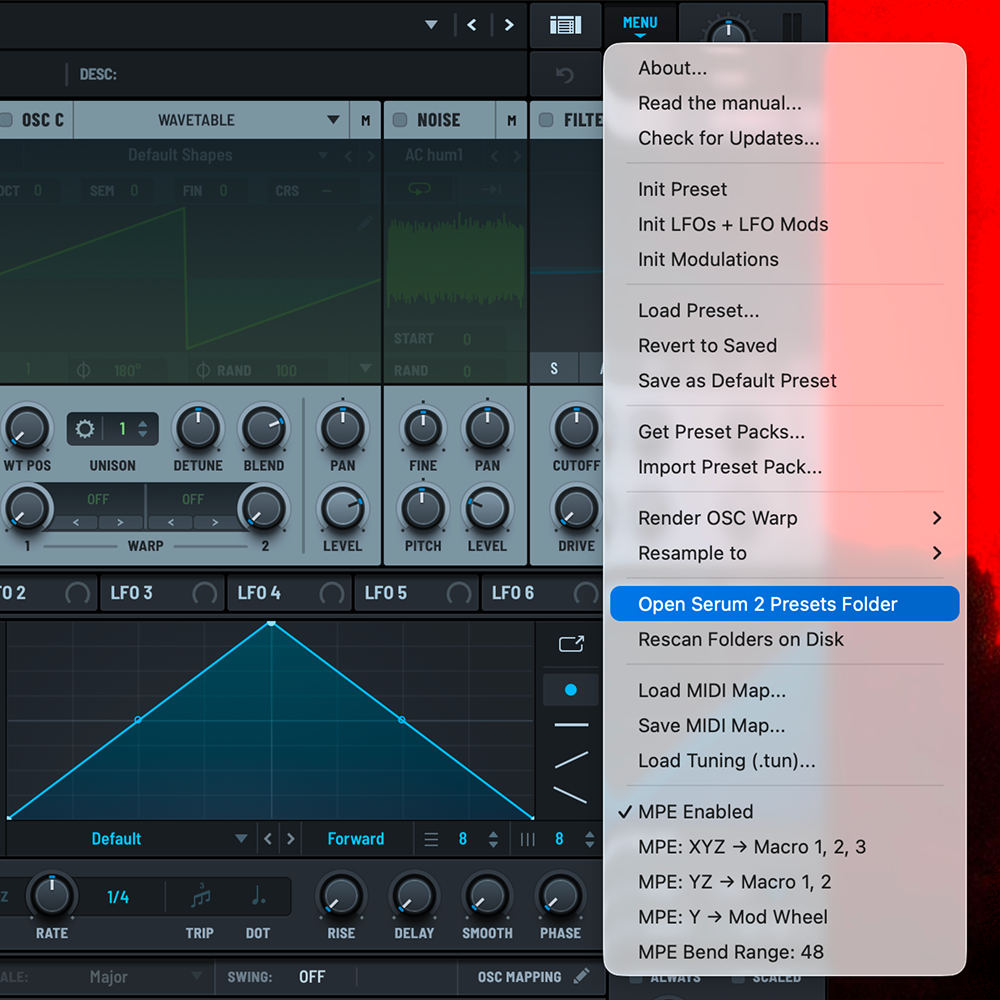
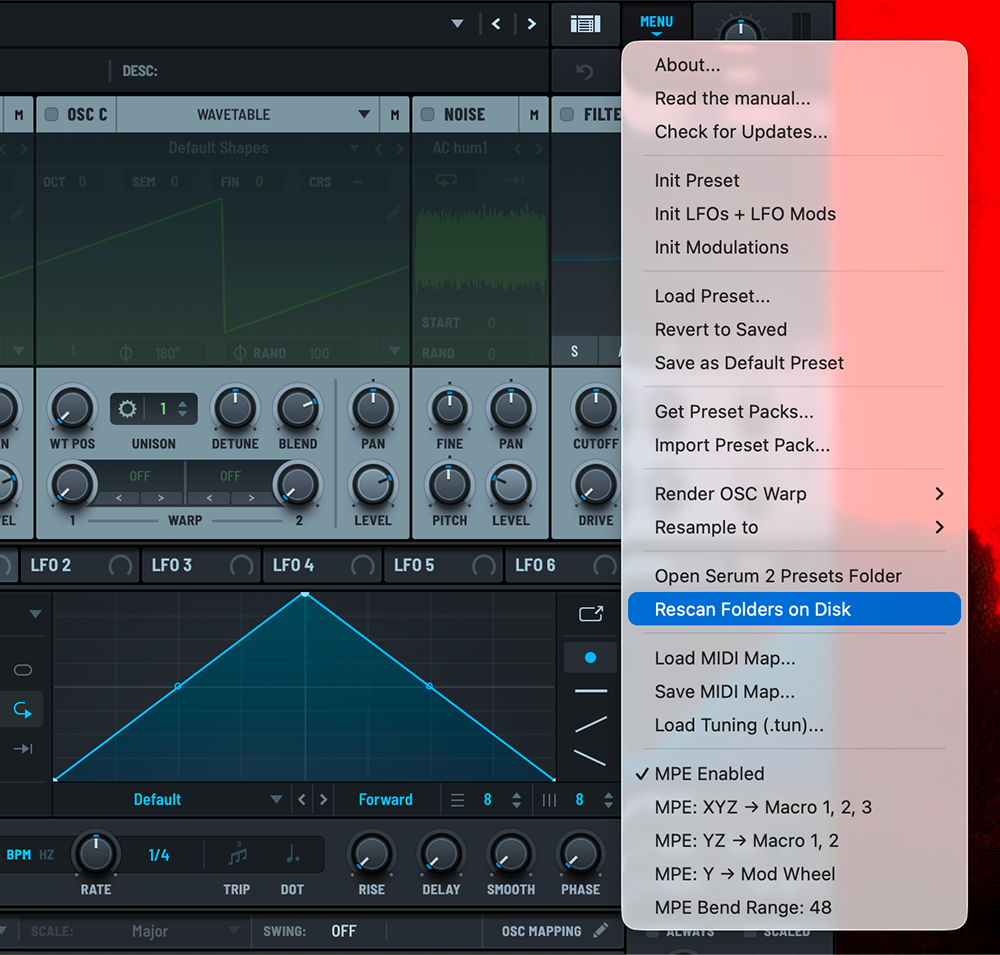
Open Serum 2 in your DAW. In the top menu bar of the plugin, click Menu → Show Serum Presets Folder. This will open your Serum 2 Presets folder directly.
Drag your preset folder in
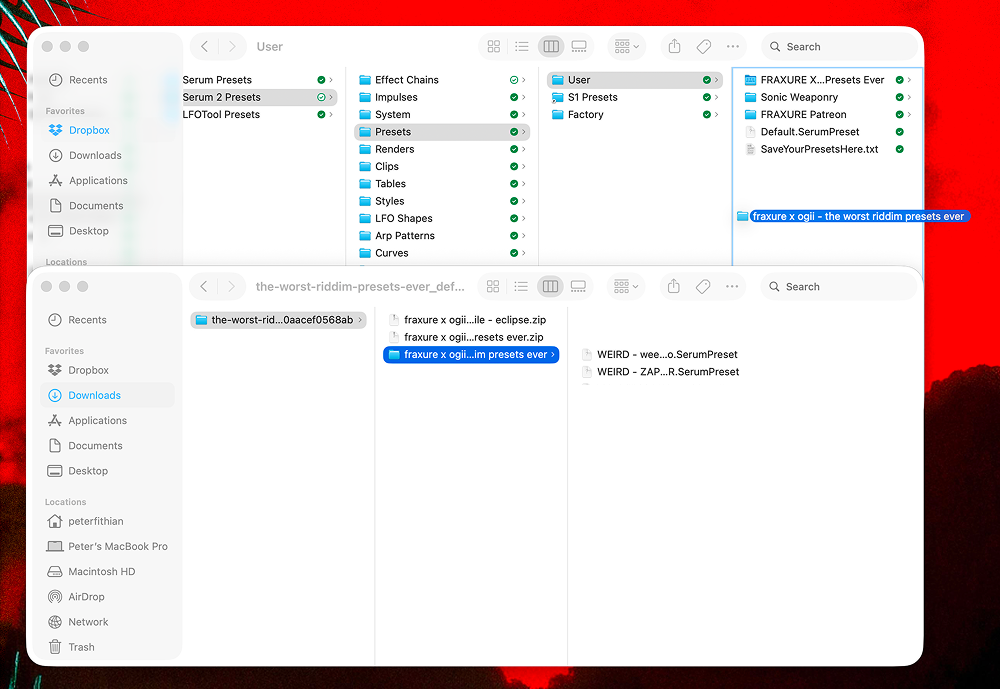
Once the Serum Presets folder is open, just drag your unzipped pack folder straight into it. That's it — Serum will pick it up automatically.
Refresh the preset browser
In Serum 2, click the preset name at the top of the plugin to open the preset browser. Right-click anywhere in the browser and select "Rescan Presets" or click the refresh icon. Your presets will now appear under the "User" category.
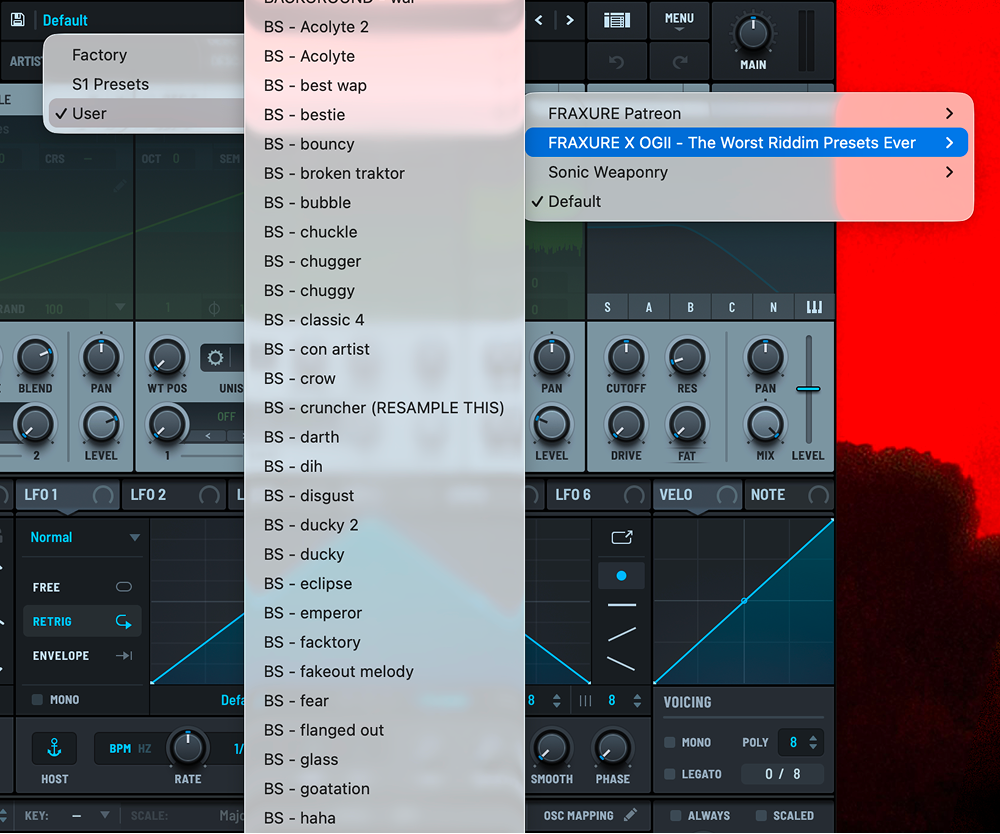
Load a preset and start creating
Navigate to User → Fraxure Audio in the preset browser. Click any preset to load it. You're ready to go!